JD Frenzy Login Problems: Can't Access Account? Try These Fixes
JD Frenzy Login Problems: Can't Access Account? Try These Fixes
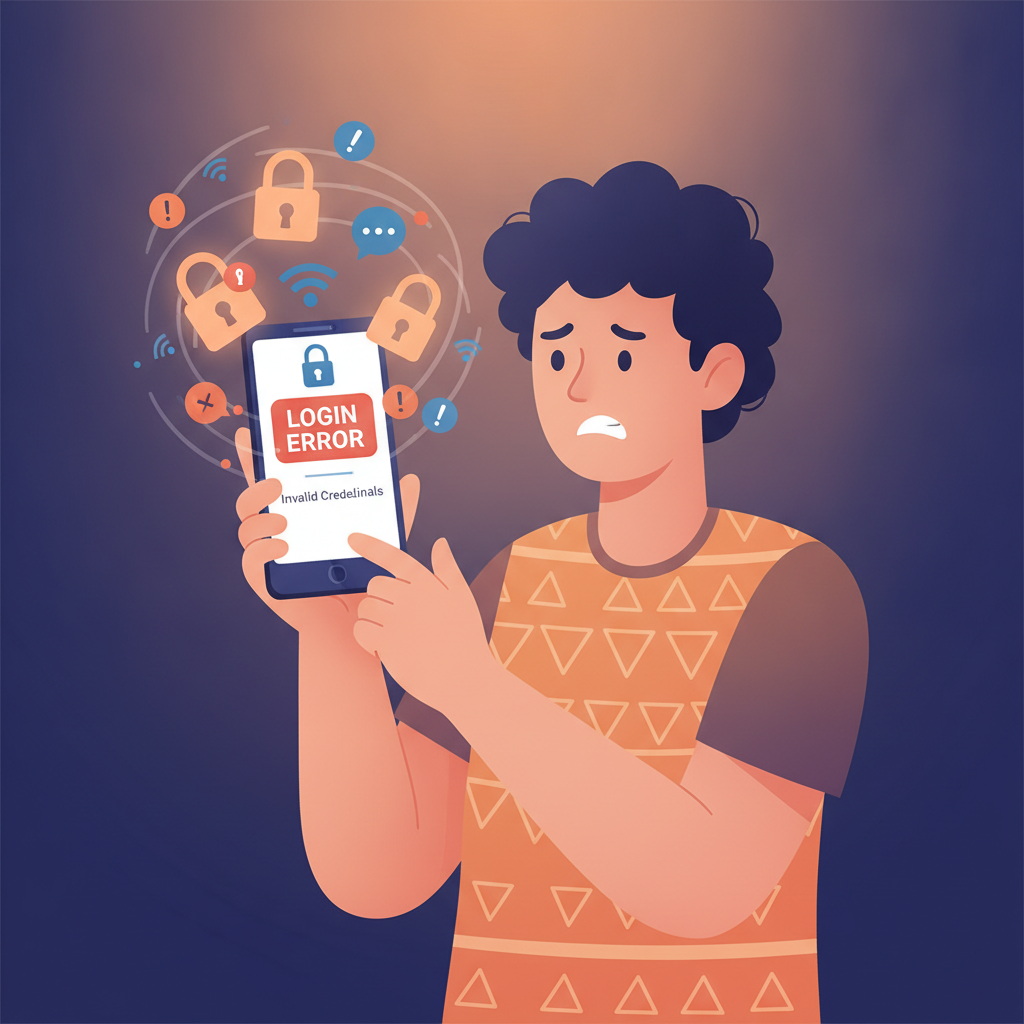
Login issues can stop you from placing a bet or checking your balance right when you need to. If JD Frenzy won't accept your credentials or throws an error on your Android phone or browser, this guide walks you through the most common causes and how to fix them.
Common Login Error Messages and What They Mean
"Invalid username or password"
You've mistyped your mobile number, email, or password. Double-check that Caps Lock is off and that auto-correct hasn't changed a character. JD Frenzy usernames are usually the mobile number or email you registered with—try both if you're unsure.
"Account not found"
The mobile number or email doesn't match any JD Frenzy account. Confirm you're using the same contact detail you gave during registration. If you registered under a different number, log in with that instead.
"Too many failed login attempts—please try again later"
JD Frenzy temporarily locks the login form after several wrong password entries to protect your account. Wait 15–30 minutes, then try again. Do not keep retrying; it will only extend the lockout.
"Account verification required"
JD Frenzy may ask you to complete ID verification or confirm your mobile number before you can log in. Check your SMS inbox for a one-time PIN or verification link, then enter it on the login screen.
"Session expired" or "Please log in again"
You've been logged out automatically after a period of inactivity. This is normal for security. Simply enter your credentials again. If it happens every few seconds, clear your browser cache or app data (see below).
"Service temporarily unavailable"
JD Frenzy's servers may be undergoing maintenance or experiencing high traffic. Wait a few minutes and refresh the page or restart the app. Check the brand's official social-media channels for scheduled downtime announcements.
Forgotten Password Reset on Mobile
If you can't remember your JD Frenzy password, reset it directly from the login screen:
- Tap "Forgot Password?" below the login fields on the JD Frenzy mobile site or Android app.
- Enter your registered mobile number or email. Make sure it matches the contact detail on file.
- Request the reset code. JD Frenzy will send a one-time PIN to your phone via SMS or to your email inbox. Check your spam folder if you don't see it within two minutes.
- Enter the PIN on the reset screen, then create a new password. Use at least eight characters with a mix of letters and numbers.
- Log in with your new password. If the error persists, wait a few minutes for the system to sync, then try again.
Didn't receive the SMS or email?
Confirm that your mobile number or email address is correct. Network delays sometimes hold up SMS delivery for several minutes. If the code still doesn't arrive after five minutes, tap "Resend" once—do not request multiple codes in quick succession, as some systems will delay delivery if they detect spam-like behaviour.
Account Locked or Suspended: Causes and Solutions
Why accounts get locked
JD Frenzy may lock or suspend an account for:
- Multiple failed logins: As mentioned, too many wrong password attempts trigger an automatic lockout.
- Incomplete or failed verification: If you haven't submitted a valid government ID or selfie, JD Frenzy may restrict login until verification is complete.
- Policy violations: Duplicate accounts, underage play, or suspicious payment activity can lead to suspension.
- Negative balance or chargeback dispute: If a deposit was reversed or a withdrawal is under review, the platform may freeze the account temporarily.
How to unlock your account
- Wait out temporary lockouts. Most failed-login freezes lift automatically after 15–30 minutes.
- Complete pending verification. Log in to your email or check the JD Frenzy app notifications for instructions to upload a valid ID or proof of address.
- Contact JD Frenzy support. If your account shows "Suspended" or you see no clear unlock instructions, reach the support team through live chat on the website or app, or send an email to the address listed in the site footer. Provide your registered mobile number and a brief description of the issue. Response times are typically a few hours during Philippine business hours.
- Resolve payment or compliance issues. If the suspension relates to a chargeback or duplicate account, support will explain the steps—this may include confirming your identity or settling an outstanding balance.
Permanent bans are rare and usually follow serious terms-of-service breaches. If support confirms a permanent suspension, any remaining verified balance should be returned to you according to JD Frenzy's withdrawal policy, minus any bonus funds or disputed amounts.
Browser Cache and App Reinstall Troubleshooting
Clearing cache in mobile browsers
Old cookies or cached login data can cause session errors or outdated password prompts.
- Chrome (Android): Tap the three dots → Settings → Privacy and security → Clear browsing data. Select Cookies and site data and Cached images and files, then tap Clear data.
- Safari (iOS): Go to Settings → Safari → Clear History and Website Data. This will log you out of all sites, so you'll need to re-enter passwords elsewhere.
After clearing, visit the JD Frenzy site again and log in fresh.
Reinstalling the JD Frenzy Android APK
If the app freezes on the login screen or keeps rejecting correct credentials:
- Uninstall the current app. Long-press the JD Frenzy icon on your home screen, then tap Uninstall or drag it to the bin.
- Download the latest APK. Open your mobile browser and go to the official JD Frenzy website. Look for the Download App or Android APK button, usually in the top menu or footer.
- Enable "Install unknown apps" if prompted. Go to Settings → Apps → Your browser → toggle Allow from this source.
- Install and open. Tap the downloaded APK file in your notifications or file manager, confirm the install, then launch the app and log in.
For iOS users
JD Frenzy may offer a web-app shortcut instead of a native App Store download. Add the mobile site to your home screen: open Safari, tap the Share icon, then Add to Home Screen. This creates an icon that behaves like an app but runs in the browser, so clearing Safari cache (above) will also fix login glitches.
Still can't log in after reinstalling?
Check that your device's date and time are set to automatic (Settings → Date & time → Use network-provided time). A clock mismatch can break session tokens and cause persistent login loops.
Play Responsibly: 21+ Only
JD Frenzy is intended for players aged 21 and above. If you find yourself chasing losses, spending more than you can afford, or logging in compulsively, take a break. JD Frenzy offers self-exclusion and deposit-limit tools in your account settings—use them to stay in control. For confidential support, reach out to the National Center for Mental Health crisis line at 0917-899-USAP (8727) or explore responsible-gambling resources at BeGambleAware.org.
Quick recap: Most JD Frenzy login problems stem from typos, expired sessions, or temporary lockouts after failed attempts. Reset your password via SMS or email, clear your browser cache, or reinstall the Android APK if errors persist. For account suspensions or verification holds, contact support through live chat or email with your registered mobile number. Keep your login details secure, play only if you're 21 or older, and reach out for help if gambling stops being fun.